Run Linux on your iPhone and Android!
Do you want an easier way to learn Linux without any of the heavy configuration?
Well, there are very easy pocket sized solutions to fulfill that need if you so desire to learn how to use Linux. Rather than get overwhelmed with the saturated amount of choices and how to set up a computer to run Linux (or at least emulate in a relatively close way), the process is as easy as installing an app on your phone. Think of it more like Linux on guardrails but it is Linux.
I should also preface that these Linux distributions running on mobile may have limited functionality, however, the likelihood that you will encounter some of these edge cases can be slim, unless you are a power user. Regardless of the limited functionality, it’s quite surprising how the developers were able to minify Linux to run as an app on mobile.
As I’ve stated in my other posts, Linux does not have to be complicated. It’s more accessible than it’s ever been. It is always welcomed to have more join the community, even if you are not an enthusiast but have curiosity of making the switch, this could be a great opportunity to do so.
You have to keep in mind these applications are minified versions of Linux, in some cases are emulated (iPhone) versions and sand-boxed, meaning they limited access to system resources. So, if you are thinking about getting root access to the hardware, it’s not happening. On the flip side, this is beneficial to you as a user because, it will give you the ability to experiment without running the risk of doing harm to your phone. Before, I go into the different options for either Android or Apple, we should look at the limitations. These come from my personal experience using Linux.
LIMITATIONS
These limitations are in no means deal breakers. It should be noted that some applications, code, etc, may not be available, or not installable many of which deal with having system level access. Mostly, when attempting to install software on the iphone Linux applications a common issue stems from the Linux architecture not being recognized, where Android does not encounter theses issues that much.
Having Linux run, as an app, on your mobile device will encounter performance issues, that goes without saying. Typically, the more graphics you have, the more bogged down the application will get depending on the device’s specifications. Also, if you are running multiple apps in Linux, yeah they app could sap some of your mobile’s resources. This might make using the terminal on your mobile, possibly the only solution.
System services, like Systemd, are not available. This will prevent running several services, like a firewall, openssl, or even installing applications that are dependent on system services. I’ve encountered this on numerous occassions.
ANDROID
Userland
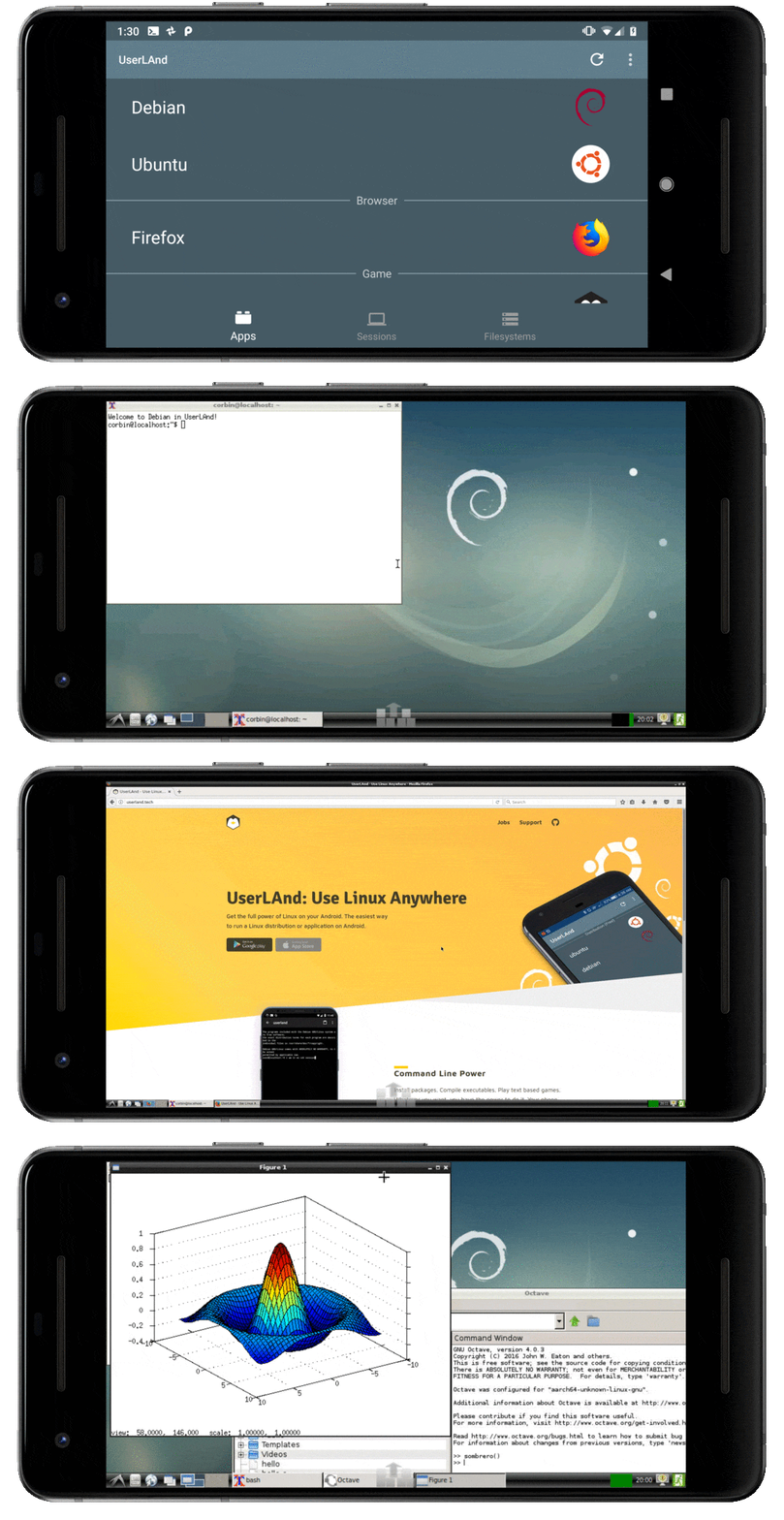 image from https://userland.tech
Userland is the most versatile of all the suggestions I provide here. Not only can you choose different flavors of Linux, you can also run them in a desktop environment or strictly in the terminal. This is the full operating system running in a virtual machine. (Ubuntu)sudo apt-get install [app] works. Installing different programming languages, remote access via ssh all work. A paid version, with more features is available.
IPHONE
iSh

iSh is a version of Alpine Linux running on the iphone. If you are not familiar, Alpine Linux is a VERY SMALL Linux distribution making it very bare bones. There is no graphical user interface so having some experience will be helpful using this app. While it is Linux, the limitations I discussed earlier, you will encounter here. Don’t let those limitations prevent you from giving this one a try.
a-Shell
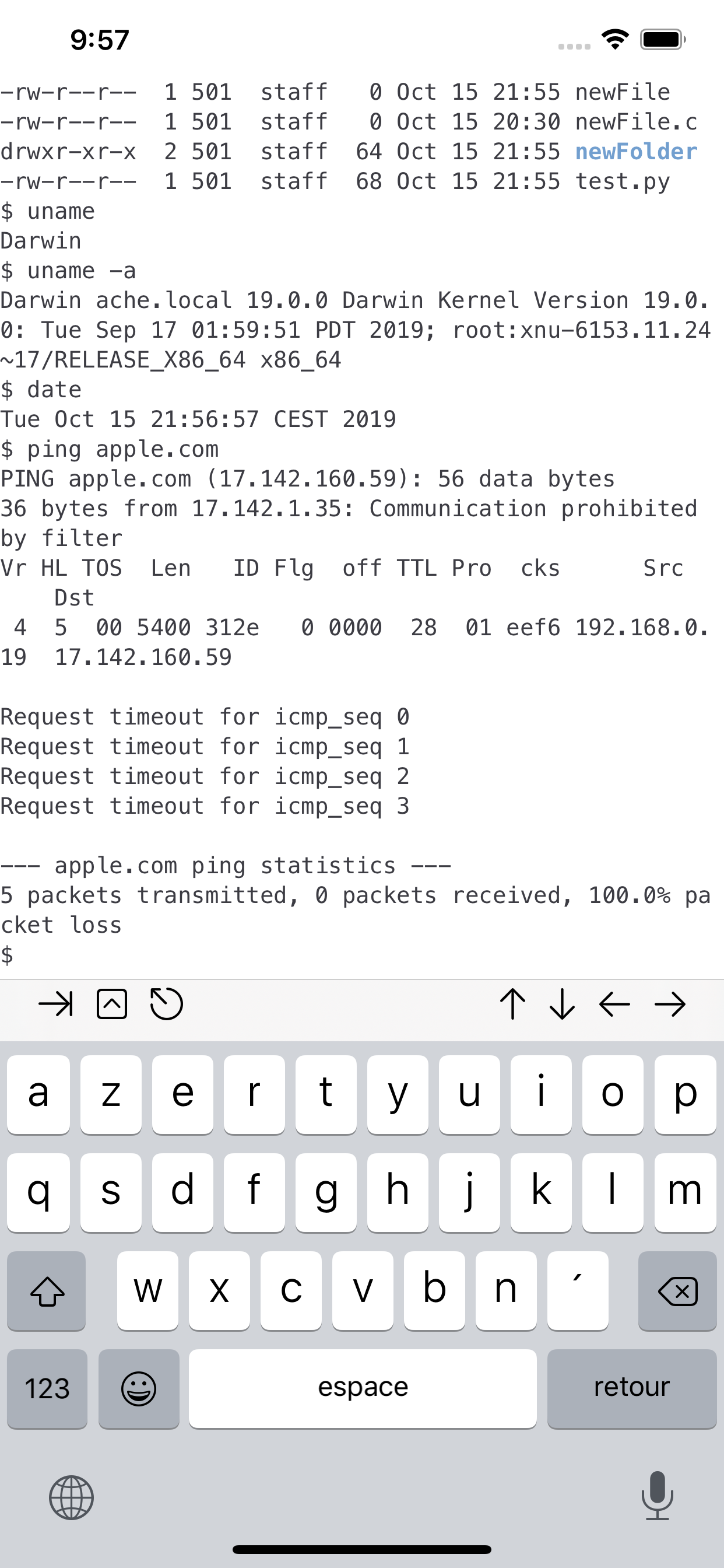
a-Shell is the most different of the three, since it is not actually a Linux distribution but a terminal app with shell syntax that receives frequent updates and features. It has vim built in, along with python3, and more. a-Shell also has file system access.
CONCLUSION
In summary, I want to encourage people to explore Linux without too much technical friction and often times Linux continues to be associated with that. The ability to explore Linux, as an app, on your mobile is probably one of the easiest ways to familiarize yourself with it, without having to go through the process of installing it on a computer, which in many cases can be intimidating for newcomers.
You should also take into consideration that there are some limitations. Here is a simple list that summarizes the aforementioned situations you may encounter:
* Performance Limitations: The Linux app is a computer running within a computer, so naturally that would consume resources, limiting performance, albeit dependent on the hardware that it’s running on. * Unknown Architecture: This issue with cpu architecture is typically only found on iPhones and not on Android, because the ecosystem is “more open”. * No/limited System Access: These Linux apps are “sandboxed” meaning they’re mostly self-contained. At a maximum, you will probably be able to access files within either of the devices, but it’s case by case bases. The Linux app itself could also have a limited system itself. This affects, the proceeding items. * OpenSSL: OpenSSL is a software library for applications that provide secure communication over computer networks (Wiki).
* No Firewall: This technically shouldn’t be an issue since the Linux app is sandboxed. But to enable it, will need OpenSSL.
Like many many things associated with Linux they are free to use with an option to donate to the projects. It’s never been a better time to get involved with using Linux considering all the general craziness that we are encountering in the tech space, but that in itself is a different story. So, with that in mind, does the option to test Linux on mobile draw any interests? Let me know!

Comments
Post a Comment