The Correct and Complete Way to Install Itch.io game launcher on Linux (Ubuntu based distributions)
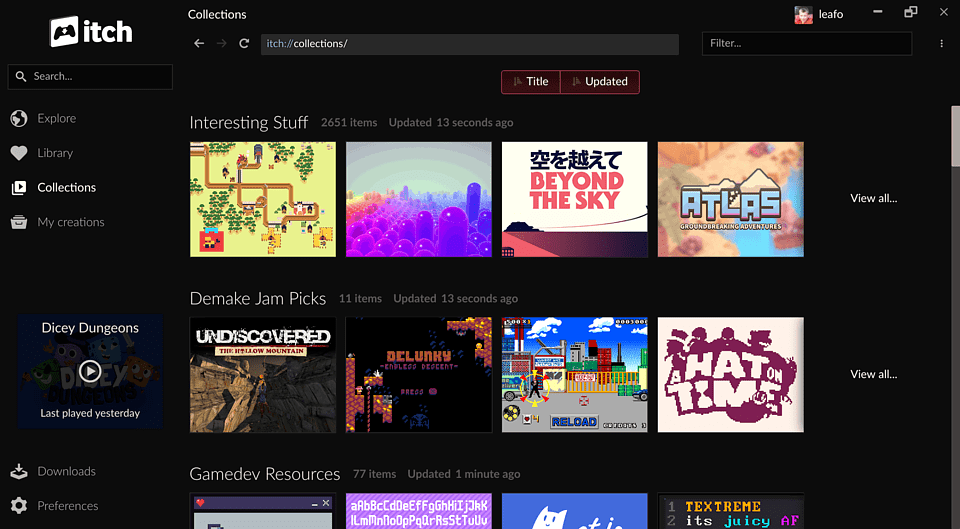
Having trouble running Itch.io on Linux?
If you love indy (Independent) games Itch.io may be for you. Itch.io hosts a number of titles developed by individuals and studios alike for every genre. Besides games, Itch.io also has other apps and more that may be of interest.
Installing the app is straight forward on Microsoft Windows but can require a little more effort for Linux users. I show you how to mitigate frustrations and get it properly installed on Ubuntu based Linux distributions. Fair warning before starting, you will need to use the terminal.
This is the comprehensive step-by-step way of installing Itch.io on Linux.
STEPS
- Download the official itch.io game installer from there website https://itch.io/app.1
- Instructions for the installation verbatim can be found here. Sections that are already covered have been omitted.2 These instructions apply to itch v25 and up.
- If you have an older version of the app installed, uninstall it before following those instructions.
- Run
chmod +x itch-setup && ./itch-setup(or use your file manager to set the executable bit and double-click it).2 - You'll need GTK3 installed (libgtk-3-0 package on most Debian based Linux).2
sudo apt-get install libgtk-3-devor you can add the wildcardlibgtk-3-*to install all of them.3
- The latest version of itch downloads and installs to
~/.itchthehomedirectory; it is a hidden directory that can be listed withls -a. After a successful installation, itch starts up...2 - You will more than likely run into issues if you are using an Ubuntu based Linux distribution. Itch.io will crash when trying to run it. A simple update will not work. Do this to have it successfully launch 4:
sudo chown root:root ~/.itch/app-*/chrome-sandbox # changes ownership sudo chmod 4755 ~/.itch/app-*/chrome-sandbox # changes permissions- Why does this issue arise? "The problem occurs almost systematically with applications that use this technique (Electron). Sandboxing can be deactivated by adding “–no-sandbox” (with two dashes) to the launcher command line, but this solution is better because it preserves the benefits of sandboxing."4
I know it can be a little frustrating at first when you encounter these issues especially if you are new to Linux. You should also make note that some games are not released on every platform and determined on a per game basis and decided by the developer(s). With that being said, Linux has compatibility software called proton to run Windows specific applications/games on Linux and there are a large assortment of games on Itch.io that more often than not are released to multiple platforms like Web, Android, iOS, Linux, Windows, and Mac.
Enjoy!


Comments
Post a Comment