Google App Scripts: auto E-mailer using Google Forms
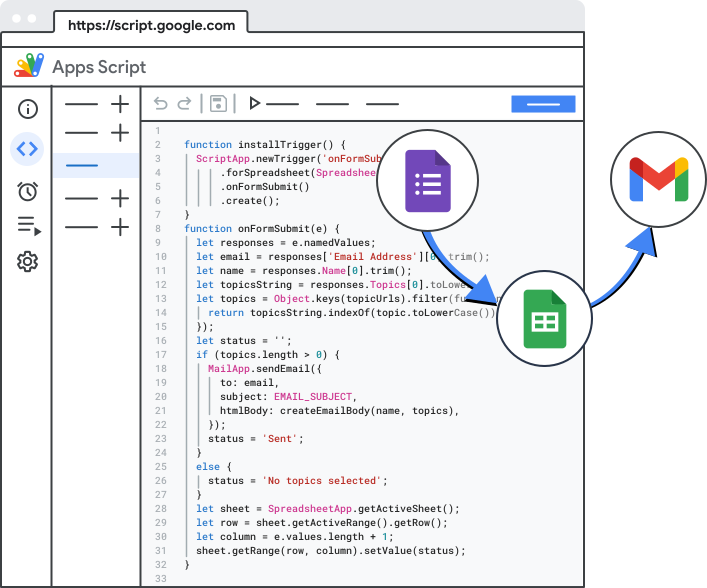
from Google App Scripts Official website
The source code made available include functions in the Google App Scripts (GAS)1 development environment for Google Workspaces. Integration with Google Forms, correct mapping to Google Sheets, and successful delivery of emails is outside the scope of this blog posts. For more about this project visit the github page2. The code is made available under the MIT license and provided asis and can be used for personal and commercial purposes.
/****************
this is only active in Google App Scripts!!!
****************/
// 2026v1.1E.1_live_10Hxq2EYN26
// GLOBAL VARIABLES within project!!!
// The URL of the spreadsheet
const THISSHTURL = "copy-and-paste-the-spreadsheet-url-on-the-active-sheet";
const SS = SpreadsheetApp.openByUrl(THISSHTURL);
// unused sheet id
const SHTID = SS.getSheetId().toString();

function infoGetter() {
  let lr = SpreadsheetApp.openByUrl(THISSHTURL).getLastRow();
  let lc = SpreadsheetApp.openByUrl(THISSHTURL).getLastColumn();

  let fullRow = SpreadsheetApp.openByUrl(THISSHTURL)
    .getActiveSheet()
    .getRange(lr, 1, lr, lc)
    .getValues();
  let valsAll = fullRow[0];

  var allText = `DATE: ${valsAll[0]}\n\nNAME: ${valsAll[2]} ${
    valsAll[3]
  }\nEmail:  ${valsAll[1]}\nPhone Number: ${
    valsAll[4]
  }\n\nWhat would you like to inquire about?: ${
    valsAll[5]
  }\n\nInfo about project: ${valsAll[6]}\n`;
  return allText;
}

function infoEmailer(subject, body) {
  let emailRecepient = "your-email@some-domain.com";
  MailApp.sendEmail(emailRecepient, subject, body);
}

//DO NOT USE 26May23
function infoSummarySendToOwner() {
  var todayDate = new Date();
  var subjectText = `RVRP website form: ${todayDate}`;
  var infoSetter = infoGetter();
  infoEmailer(subjectText, infoSetter);
}

//USE 26May23
function emailSendToOwner() {
  GmailApp.sendEmail(
    "reliablevirtualreal@yahoo.com",
    `RVRP website form: ${new Date()}`,
    infoGetter(),
  );
}

/****** ONLY TESTS VALUES THAT ARE PASSED ******/
function tester() {
  Logger.log(`${infoGetter()} and ${todayDate}`);
}


Comments
Post a Comment